Mastering Visual Impact: A Guide to Glitter PSD 3D Editable Text Effects
In the fast-paced world of digital design, first impressions are often formed within milliseconds. Whether you are scrolling through social media, browsing an e-commerce store, or picking up a physical book, typography plays a pivotal role in capturing attention. Among the myriad of design trends, the Glitter PSD 3D Editable Text Effect has emerged as a powerful tool for creators who want to add sparkle, depth, and professionalism to their work without spending hours on complex rendering techniques. This guide explores what these effects are, why they matter, and how they can transform your creative workflow.
Understanding the Technology Behind the Sparkle
At its core, a Photoshop Text Effect is a pre-designed template file, typically in the .PSD format, that utilizes Adobe Photoshop’s advanced layering system. The "magic" behind these templates lies in a feature called Smart Objects. Unlike standard layers, Smart Objects preserve an image's source content with all its original characteristics, enabling non-destructive editing.
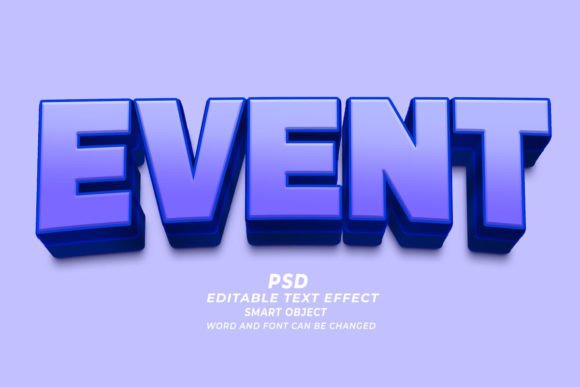
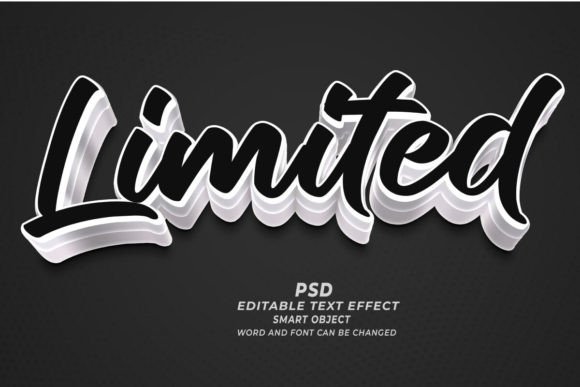
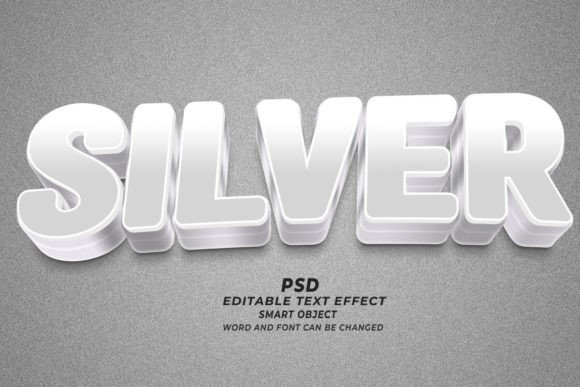
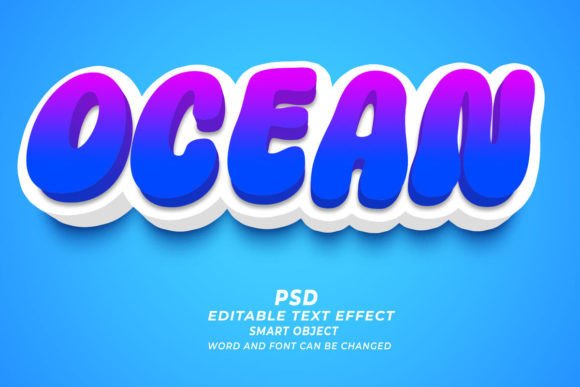
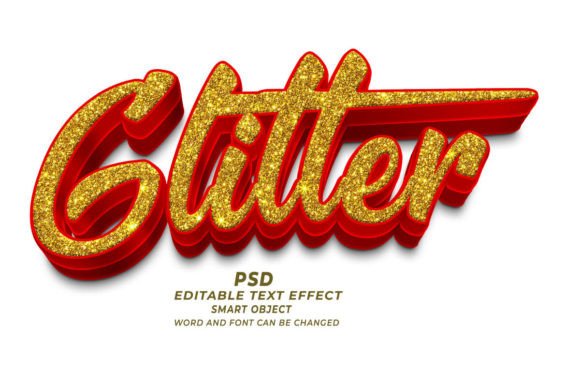
When you download a Glitter PSD 3D editable text effect, you are not just getting a static image. You are receiving a sophisticated stack of layers that include lighting effects, shadow maps, texture overlays, and color adjustments. The glitter component is usually achieved through high-resolution particle brushes or texture maps that simulate light reflection, while the 3D aspect is created using bevels, embossing, and drop shadows that give the letters physical depth.
Why Non-Destructive Editing Matters
For beginners, the concept of non-destructive editing might seem technical, but its practical benefit is simple: flexibility. In traditional design, if you wanted to change the text from "Sale" to "New," you might have to rebuild the entire effect from scratch. With a Smart Object-based template, you simply double-click the layer, type your new word, save, and the effect automatically updates. This saves immense amounts of time and ensures consistency across multiple designs.
The Versatility of Glitter and 3D Text
One common misconception is that glitter effects are only suitable for party invitations or children’s designs. However, modern 300dpi high-resolution text effects have evolved to suit a wide array of professional applications. The key lies in the subtlety of the glitter and the sophistication of the 3D modeling. Here is how these effects fit into various sectors of modern life and business:
- Web Banners and Digital Marketing: In online advertising, standing out is crucial. A glittering headline on a web banner can increase click-through rates by drawing the eye immediately to the call-to-action.
- Print on Demand (POD) and T-Shirts: Fashion trends often cycle back to bold, expressive typography. High-quality PSDs allow designers to create mockups for T-shirts that look realistic, helping customers visualize the final product before purchase.
- KDP Book Cover Design: For self-published authors on platforms like Kindle Direct Publishing, the cover is the primary sales tool. Genre-specific fonts with 3D depth and subtle shimmer can signal romance, fantasy, or luxury non-fiction effectively.
- Marketing Materials: From flyers to business cards, adding a tactile sense of depth through visual 3D effects can make printed materials feel more premium and engaging.
Practical Application: How to Use These Templates
Using a Photoshop Editable Text Effect is designed to be intuitive, even for those with limited experience in Adobe Photoshop. The process generally follows a logical sequence that demystifies the technical aspects of graphic design.
- Open the File: Launch Adobe Photoshop and open the downloaded .PSD file. Ensure you have a version of Photoshop that supports Smart Objects (CS6 and later).
- Locate the Smart Object: Look for the layer named "Edit Here" or similar. It will usually have a small icon in the corner of the layer thumbnail indicating it is a Smart Object.
- Replace the Text: Double-click the thumbnail. This opens a new tab containing the raw text. Delete the placeholder text and type your desired words. You can also adjust the font family, size, and color here to match your brand identity.
- Save and Update: Press Ctrl+S (or Command+S on Mac) to save the changes. Close the tab and return to the main document. You will see your new text instantly rendered with the glitter and 3D effects applied.
This "click and edit" functionality means that you can produce dozens of variations in the time it would normally take to create one custom effect from scratch. It empowers entrepreneurs, marketers, and hobbyists to maintain a high standard of visual quality without needing a degree in graphic design.
Technical Considerations for Quality Output
While ease of use is a major selling point, understanding the technical specifications ensures your final output looks professional. Most premium templates are provided at 300dpi (dots per inch). This resolution is the industry standard for print. If you are designing for a T-shirt or a book cover, this high resolution ensures that the edges of your text remain crisp and the glitter textures do not appear pixelated when printed.
For web use, such as website headers or social media posts, you may need to resize the image. However, starting with a high-resolution source file gives you the flexibility to scale down without losing quality. It is always easier to reduce resolution than to try to enhance a low-quality image.
Customization Beyond Text
Another powerful feature of these PSDs is their adaptability to shapes. While primarily used for typography, the underlying smart object structure can often accept vector shapes or logos. This means you can apply the same glitter and 3D treatment to a company logo or a decorative icon, creating a cohesive visual language across your marketing materials. This versatility makes the investment in a pack of 100 editable text effects particularly valuable for businesses looking to maintain brand consistency.
Enhancing Creativity and Efficiency
In today’s gig economy and creative marketplace, speed is often as valuable as skill. Tools like Glitter PSD 3D Editable Text Effects bridge the gap between amateur and professional output. They allow creators to focus on the broader composition and message of their design rather than getting bogged down in the technical minutiae of lighting and texture mapping.
Moreover, these tools serve as excellent educational resources. By dissecting how the layers are organized—how the glow is separated from the shadow, how the texture overlay interacts with the base color—beginners can learn advanced Photoshop techniques by observation. It transforms a simple template into a learning module, helping users understand the principles of light, depth, and texture.
Conclusion
The Glitter PSD 3D Editable Text Effect is more than just a decorative asset; it is a strategic tool for modern communication. Whether you are designing a catchy web banner, a compelling book cover, or a stylish T-shirt, these templates offer a blend of aesthetic appeal and operational efficiency. By leveraging the power of Smart Objects and high-resolution textures, you can create stunning, professional-grade visuals that captivate your audience. As technology continues to simplify complex design tasks, embracing these tools allows you to elevate your creative projects, saving time while delivering maximum visual impact.