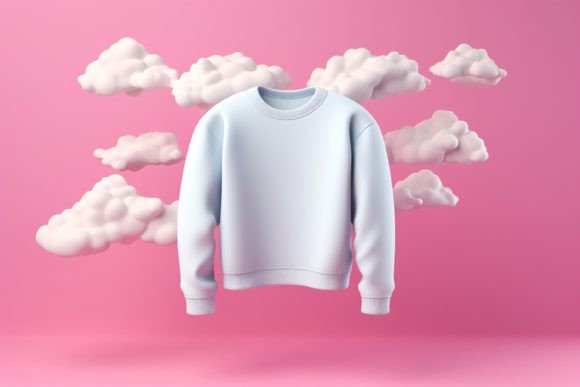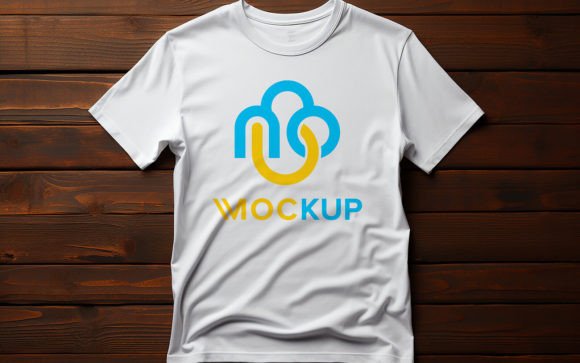
Mastering the Tshirt Mockup Design Psd for Professional Apparel Presentations
In the competitive world of apparel branding and e-commerce, first impressions are often digital. Before a customer ever touches the fabric, they judge the design based on how it looks in photos. This is where a high-quality Tshirt Mockup Design Psd becomes an indispensable tool for designers, entrepreneurs, and marketers. Unlike flat graphics slapped onto a blank canvas, these templates utilize advanced smart object technology to blend your artwork seamlessly with the texture, folds, and lighting of a real garment. However, many users underestimate the nuances of selecting and editing these files, leading to presentations that look amateurish rather than professional.
Understanding the mechanics behind these templates is crucial. At their core, these PSD files are built with Smart Objects. This feature allows you to double-click a layer, paste your logo or graphic, and save. The software automatically warps, shadows, and lights your design to match the underlying shirt. While this sounds simple, the difference between a mediocre result and a stunning visual lies in the details you might overlook during the setup process.
The Trap of Ignoring Resolution and DPI Standards
One of the most common mistakes beginners make is downloading low-resolution mockups to save time or storage space. You might find a free template online that looks decent on a small screen, but when you attempt to use it for a large banner ad or a high-quality print catalog, the image pixelates. A professional-grade Tshirt Mockup Design Psd should always be at least 300 DPI (dots per inch). This density ensures that when you zoom in on the fabric texture or the edges of your printed design, everything remains crisp and clear.
Using a 72 DPI web-resolution file for print purposes is a costly error. It forces you to restart the design process from scratch, wasting valuable hours. Always check the file specifications before downloading. If the pack includes a JPG preview, inspect it closely. If the fabric weave looks blurry or blocky even in the preview, the source PSD will likely suffer from the same quality issues. Investing in a high-quality 3D realistic template ensures your brand maintains a premium aesthetic across all platforms.
Misunderstanding Smart Object Replacement
While the "no skill requirement" claim is largely true, it does not mean "no attention required." A frequent oversight occurs when users replace the smart object without considering the scale and perspective of their original artwork. If your logo is vector-based, it scales infinitely. However, if you are using a raster image, placing it into the mockup at the wrong size can lead to blurriness.
Another subtle issue is ignoring the blending modes. Most well-organized PSDs come with layers set to "Multiply" or "Overlay" to simulate ink soaking into cotton. If your design has white backgrounds or specific color profiles, failing to adjust these settings can make the print look like a sticker floating above the shirt rather than part of the fabric. Take a moment to explore the layer folders. A fully layered and well-organized file will have separate groups for shadows, highlights, and the design itself. Tweaking the opacity of the shadow layer can dramatically change the realism, making the design look deeper and more integrated.
Overlooking Lighting and Color Accuracy
Lighting defines reality. A major misunderstanding among new users is assuming that the mockup’s lighting will automatically fix poor design choices. If your original artwork is too dark, it may disappear into the shadows of a black t-shirt mockup. Conversely, neon colors might look washed out if the mockup uses a desaturated lighting setup.
To avoid this, choose a mockup that matches the vibe of your brand. A bright, high-key lighting setup works well for sporty, energetic brands, while moody, dramatic lighting suits luxury or streetwear aesthetics. Before finalizing your export, compare the colors on your screen with a calibrated reference if possible. Remember, the goal is to represent the final product accurately. Misleading customers with overly saturated or artificially brightened mockups can lead to returns and dissatisfaction when the physical item arrives.
The Importance of Layer Organization
When evaluating a Tshirt Mockup Design Psd, look for clear labeling. A messy file with hundreds of unnamed layers is a recipe for frustration. High-quality packs include folders named logically, such as "Place Your Design Here," "Color Adjustment," or "Background." This organization saves time, especially when you need to create multiple variations for different clients or campaigns.
Consider a scenario where you need to present the same logo on three different shirt colors. In a well-structured PSD, this might involve simply toggling visibility on specific adjustment layers. In a poorly made template, you might have to manually repaint sections or struggle with hidden masks. Efficiency is key in professional workflows, so prioritize templates that respect your time through clean architecture.
Practical Steps for Better Results
To maximize the potential of your mockup tools, follow these practical guidelines:
- Check the File Size: A robust PSD with 3D realistic details will be larger in file size. Do not shy away from downloads that are 50MB or more; this often indicates rich texture data.
- Test the Smart Object: Before committing to a purchase or extensive project, open the PSD and test the replacement process. Ensure the warp and distortion feel natural for your specific design type.
- Verify Editability: Confirm that all elements are 100% editable. Some restrictive templates lock certain layers, preventing you from changing the background or adjusting the shirt color to match your inventory.
- Read the Documentation: Even easy-to-use files often come with a read-me text file. It may contain tips on specific font pairings or color codes that enhance the overall look.
By avoiding these common pitfalls, you transform a simple template into a powerful marketing asset. Whether you are a freelancer pitching to a new client or a small business owner updating your online store, the quality of your presentation speaks volumes about your professionalism. A well-executed mockup bridges the gap between digital concept and physical reality, giving viewers confidence in the product.
Ultimately, the right Tshirt Mockup Design Psd is not just about convenience; it is about credibility. It allows you to showcase your creativity without the overhead of photography studios, models, and sample printing. By paying attention to resolution, lighting, and layer structure, you ensure that your designs are seen in the best possible light. Take the time to choose wisely, edit carefully, and present confidently. Your audience will notice the difference, and your brand will benefit from the polished, authentic look that only a high-quality mockup can provide.