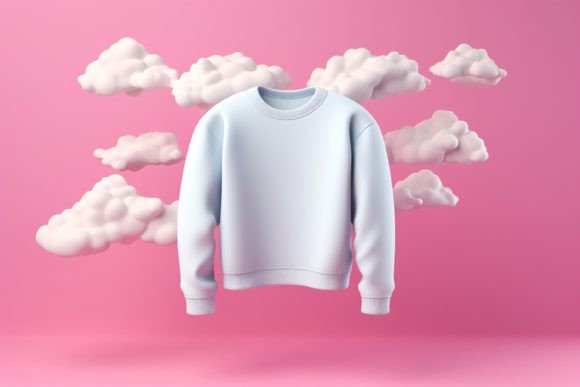
Mastering the 3D Floating Sweatshirt Mockup for Professional Presentations
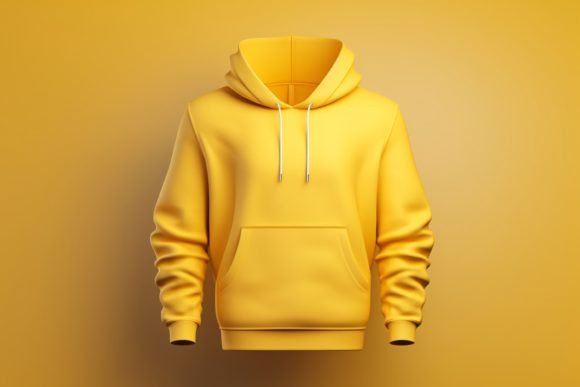
In the competitive world of print-on-demand and apparel design, first impressions are not just important; they are everything. A 3D Floating Sweatshirt Mockup offers a dynamic, modern way to showcase your designs without the logistical nightmare of physical photoshoots. This digital tool allows creators to present patterns, artwork, and print designs in a realistic, three-dimensional space that captures attention immediately. However, simply downloading a file and slapping a logo on it is rarely enough to convert viewers into customers. Many designers overlook the technical nuances that separate an amateur presentation from a professional-grade portfolio piece.
Understanding how to properly utilize these assets can significantly elevate your brand perception. Whether you are a freelancer pitching to a new client, a small business owner updating your Etsy store, or a marketer creating social media ads, the quality of your mockup directly influences the perceived value of your product. Let’s explore how to avoid common pitfalls and leverage this tool effectively.
The Illusion of Simplicity: Why Resolution Matters
One of the most frequent mistakes beginners make is ignoring the technical specifications of the mockup file. It is tempting to grab the first free image you find, but using a low-resolution file can ruin your final output. A high-quality 3D Floating Sweatshirt Mockup Picture should ideally be provided in high resolution, such as 3000×2000 px, with a 300 DPI resolution.
Why does this matter? If you are designing for web use, lower resolutions might seem acceptable, but if you ever need to use that same image for a printed catalog, a large banner, or a high-density display, pixelation will occur. Pixelated images signal low effort and low quality to potential clients. Always check the file details before downloading. Ensure the file is in RGB Color mode, which is standard for digital displays, to ensure your colors look vibrant and accurate on screens. Using a CMYK file intended for print on a digital platform can result in dull, washed-out colors that fail to represent your artwork accurately.
Ignoring Lighting and Shadow Dynamics
A "floating" effect is visually striking because it defies gravity, creating a sense of lightness and modernity. However, this effect relies entirely on convincing lighting and shadows. A common error is placing a flat, two-dimensional design onto a three-dimensional object without adjusting for the light source. If the sweatshirt in the mockup has shadows falling from the top left, but your design looks like it is lit from the bottom right, the illusion breaks. The design will look like a sticker rather than part of the fabric.
To avoid this, use blending modes in Photoshop or your preferred editing software. Instead of simply pasting your design on top, experiment with modes like Multiply or Overlay. This allows the texture of the sweatshirt fabric and the natural shadows of the folds to show through your artwork. This subtle integration makes the design appear printed on the garment, enhancing realism. Remember, the goal is to show clients how beautifully their artworks look in the real world, not just on a flat screen.
Overlooking Fabric Texture and Distortion
Sweatshirts are not rigid surfaces; they are made of soft, flexible fabric that wrinkles, stretches, and folds. A major oversight is treating the mockup area as a perfect rectangle. When you place a complex pattern or a detailed photo onto the chest area, failing to account for the curvature of the body and the fabric's drape can result in a distorted, unnatural look.
Advanced users utilize warp tools or displacement maps to match the contours of the garment. For beginners, the advice is simpler: choose designs that work with the medium. Highly intricate, symmetrical geometric patterns may look jarring if they do not align with the natural folds of the floating sweatshirt. Conversely, organic shapes, typography, and centralised logos often integrate more seamlessly. Before finalizing your presentation, zoom in to 100% and check the edges of your design. Do they follow the natural flow of the fabric? If not, adjust the opacity or use a mask to soften the edges, creating a more believable integration.
Neglecting Context and Background Harmony
The term "floating" implies isolation, but that does not mean the background should be an afterthought. Many creators leave the default background, which might clash with their design colors. For instance, placing a dark navy design on a dark grey background reduces contrast and visibility.
Take control of the environment. Since you are working with a JPG File that likely has a solid or gradient background, you can easily change it to complement your artwork. Use color theory to select a background that makes your design pop. A neutral tone often works best for showcasing colorful artwork, while a bold background might suit minimalist, monochrome designs. The background sets the mood; ensure it aligns with your brand identity. Is your brand playful and energetic? Choose vibrant hues. Is it luxury and minimal? Stick to muted, elegant tones.
Practical Steps for Flawless Execution
To ensure you get the most out of your 3D Floating Sweatshirt Mockup, follow this streamlined workflow:
- Verify File Quality: Confirm the download is 3000×2000 px at 300 DPI. Avoid upscaling smaller images, as this introduces artifacts.
- Prepare Your Design: Ensure your artwork is high-resolution and has a transparent background if possible (PNG format) before importing it into the mockup file.
- Use Smart Objects: If the mockup template supports it, use Smart Objects in Photoshop. This allows you to double-click the layer, paste your design, and save, automatically applying all necessary perspective and lighting effects.
- Adjust Blending Modes: Change the layer mode to Multiply or Overlay to let the fabric texture show through. Adjust opacity to taste.
- Check Color Accuracy: View your final image on multiple devices (phone, tablet, desktop) to ensure colors remain consistent and appealing.
Maximizing Versatility for Different Uses
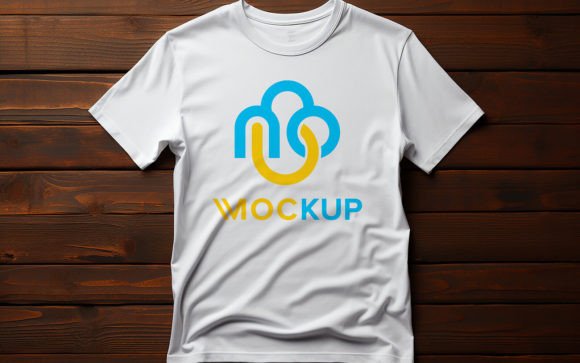
This type of mockup is not limited to just showing a finished product. It is a versatile tool for various creative applications. You can use it to display Shirt design presentations for client approvals, allowing them to visualize the final product before production begins. It is also excellent for social media content, where eye-catching visuals drive engagement.
Furthermore, educators and bloggers can use these images to illustrate tutorials on graphic design or fashion marketing. By showing the design in a realistic, 3D context, you bridge the gap between concept and reality. This helps stakeholders understand the scale, placement, and aesthetic impact of the artwork. Whether you are selling Shirt mockup designs or using them to promote your own brand, the key is consistency. Use the same style of mockup across your portfolio to create a cohesive brand image.
In conclusion, a 3D Floating Sweatshirt Mockup is a powerful asset when used correctly. By paying attention to resolution, lighting, fabric texture, and background harmony, you can create stunning presentations that resonate with your audience. Avoid the trap of quick, low-effort edits. Instead, invest time in mastering the technical details. The result is a professional, polished look that builds trust and drives sales. Download your high-resolution JPG file today, open it in your preferred app, and start transforming your digital designs into compelling visual stories.