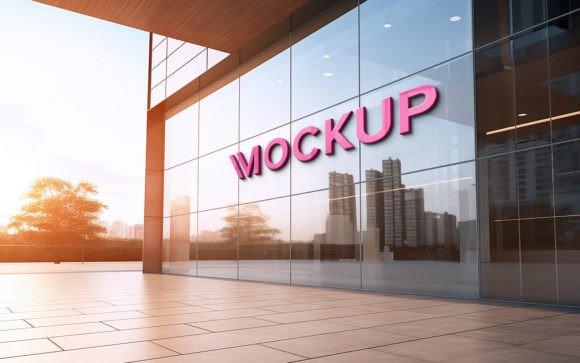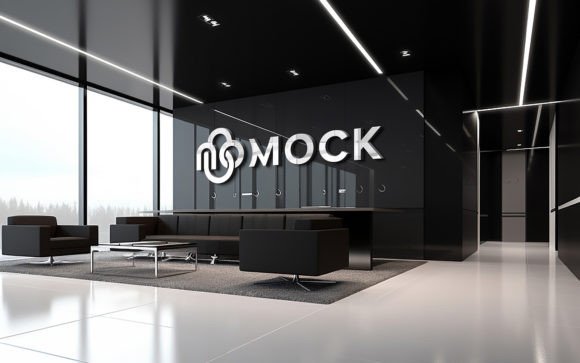
Visualizing Brand Identity with a Facade Sign 3D Logo Storefront Mockup
Presenting a brand concept to a client or visualizing a new business location requires more than a flat digital file. The gap between a two-dimensional logo and its physical manifestation on a building facade is often where design projects stall. A Facade Sign 3D Logo Storefront Mockup bridges this divide by providing a photorealistic context for branding elements. This tool allows designers, architects, and business owners to see exactly how signage will interact with natural light, architectural textures, and street-level perspectives before any manufacturing begins.
The core value of this resource lies in its accessibility and realism. Unlike complex 3D modeling software that requires hours of rendering and technical expertise, this mockup utilizes smart object technology within Adobe Photoshop. Users can insert their own logo, design, or text simply via a smart object layer. The system automatically applies correct shadows, lighting, and perspective distortions, making the design look like a real, installed sign. This automation removes the barrier of advanced 3D skills, allowing professionals to focus on aesthetic decisions rather than technical execution.
The Advantage of Realistic Context in Design Presentation
When evaluating branding options, context is everything. A logo that looks crisp on a white background may lose legibility when placed against textured brick or under the harsh glare of midday sun. A high-quality 3D realistic mockup provides immediate feedback on these environmental factors. By using a Facade Sign 3D Logo Storefront Mockup, you can assess contrast, scale, and material interaction instantly.
This level of detail is crucial for stakeholder approval. Clients often struggle to visualize abstract concepts. Showing them a flat JPEG of a logo is rarely enough to secure buy-in. However, presenting a fully rendered image where their brand appears integrated into a realistic storefront creates an emotional connection and builds confidence in the final outcome. The mockup includes high-resolution details at 300 DPI, ensuring that even when zoomed in, the textures of the building materials and the finish of the sign remain sharp and convincing.
Comparing Mockups to Traditional 3D Rendering
Traditionally, creating a realistic visualization of exterior signage required specialized 3D artists using software like Blender, Cinema 4D, or 3ds Max. This approach offers unlimited flexibility but comes with significant tradeoffs. It is time-consuming, expensive, and requires a steep learning curve. For small businesses or freelance designers working with tight deadlines, this workflow is often impractical.
In contrast, the Facade Sign 3D Logo Storefront Mockup offers a streamlined alternative. It is not a replacement for full-scale architectural visualization but serves as a highly efficient tool for specific branding presentations. The key difference lies in the "smart object" functionality. Instead of modeling light sources and calculating ray-traced reflections, the user simply replaces the content in a predefined layer. The mockup handles the heavy lifting of shading and perspective mapping automatically.
This approach is ideal for:
- Quick Iterations: Testing multiple colorways or logo variations in minutes rather than days.
- Cost Efficiency: Avoiding the hourly rates of 3D specialists for simple signage previews.
- Accessibility: Enabling graphic designers without 3D modeling skills to produce professional-grade visuals.
However, it is important to recognize the limitations. If a project requires a unique building angle, custom architecture, or specific environmental conditions not covered by the mockup’s scene, traditional 3D rendering remains the superior choice. The mockup is a fixed scene; you are buying the quality of the photography and the intelligence of the layer structure, not the ability to move the camera freely.
Ease of Use and Technical Requirements
One of the most compelling features of this resource is its user-friendly design. The package includes one PSD file and one JPG preview, organized with fully layered and well-structured folders. This organization is critical for maintaining workflow efficiency. Users do not need to hunt for hidden layers or decipher complex naming conventions.
The process is straightforward: open the smart object, paste your design, save, and watch the main document update. The automatic application of shadows and lighting ensures that the result looks authentic. There is no skill requirement beyond basic familiarity with Photoshop. This democratizes high-end visualization, allowing junior designers or small business owners to create portfolio-worthy images without extensive training.
The mockup is 100% editable, meaning you can adjust colors, tweak brightness, or modify the environment slightly if needed. However, the primary function remains the seamless integration of your logo into the existing scene. The high-quality 3D realistic texture ensures that the final output is ready for use in pitch decks, social media portfolios, or client presentations.
When to Choose This Mockup Over Alternatives
Deciding whether to use a pre-made mockup depends on the specific needs of your project. Here are some scenarios where a Facade Sign 3D Logo Storefront Mockup is the optimal choice:
- Client Presentations: When you need to show a client how their brand will look in the real world quickly. The realism helps bridge the imagination gap.
- Portfolio Building: Designers can showcase their logo work in a professional context, making their portfolio stand out against competitors who only display flat vectors.
- Social Media Marketing: High-quality visuals perform better on platforms like Instagram and LinkedIn. A realistic storefront image is more engaging than a static logo file.
- Signage Planning: Business owners can use the mockup to decide between different sign styles or placements before committing to fabrication costs.
Conversely, you might need an alternative if your project involves a non-standard building shape, specific local landmarks, or complex lighting conditions that differ significantly from the mockup’s setup. In such cases, a custom photoshoot or bespoke 3D render may be necessary. Additionally, if you require video animation of the sign, a static PSD mockup will not suffice, though it can serve as a base for further animation work.
Making an Informed Decision
The Facade Sign 3D Logo Storefront Mockup represents a balance between quality, speed, and ease of use. It is not a one-size-fits-all solution for every visualization need, but it is an invaluable tool for anyone involved in brand identity and exterior design. By leveraging smart object technology, it eliminates the technical hurdles of 3D rendering while delivering a polished, professional result.
For professionals aged 20–50 who are comparing resources, this mockup offers a practical middle ground. It is more sophisticated than free, low-resolution templates found online, yet far more accessible than hiring a 3D artist. The inclusion of high-resolution files at 300 DPI ensures that the output meets print and digital standards alike.
Ultimately, the decision comes down to your specific workflow and client expectations. If you value efficiency and realistic presentation without the overhead of complex software, this mockup is a strong candidate for your toolkit. It allows you to focus on the creative aspects of design—typography, color, and composition—while the tool handles the technical realism. Remember to rate the product after use, as feedback helps creators improve these essential resources for the design community.